.png)




jitpack编译失败
之前都可以正常上传的,直到修改targetSdkVersion为30并且将android studio更新到Android Studio Dolphin | 2021.3.1 Patch 1 后就不行了.
详细报错日志传送门
核心错误log
20 actionable tasks: 17 executed, 3 up-to-date
Picked up JAVA_TOOL_OPTIONS: -Dfile.encoding=UTF-8 -Dhttps.protocols=TLSv1.2
An exception has occurred in the compiler (1.8.0_292). Please file a bug against the Java compiler via the Java bug reporting page (http://bugreport.java.com) after checking the Bug Database (http://bugs.java.com) for duplicates. Include your program and the following diagnostic in your report. Thank you.
java.lang.AssertionError: annotationType(): unrecognized Attribute name MODULE (class com.sun.tools.javac.util.UnsharedNameTable$NameImpl)
	at com.sun.tools.javac.util.Assert.error(Assert.java:133)
	at com.sun.tools.javac.code.TypeAnnotations.annotationType(TypeAnnotations.java:231)
解决方法
是因为targetSdkVersion 修改为30及以上后 需要更新android studio和jdk11 , jitpack默认是使用jdk1.8 所以会编译失败
- 方法
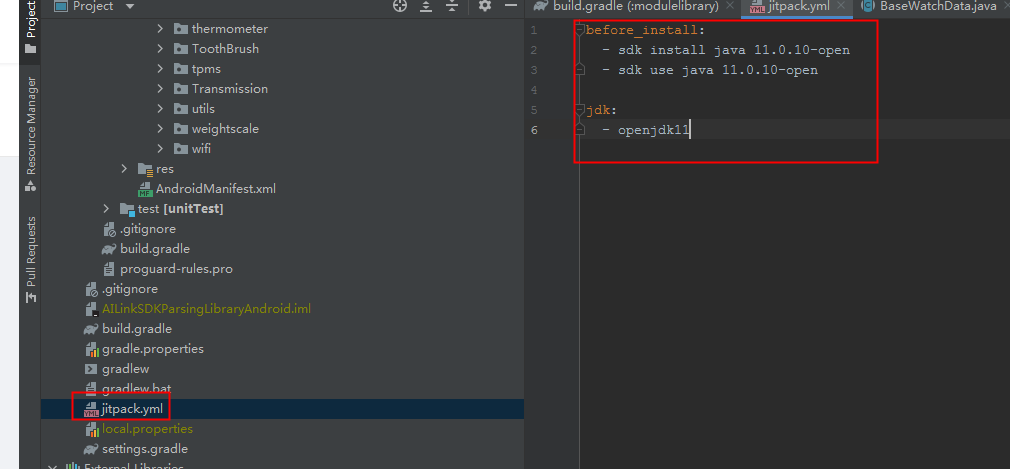
在项目跟目录增加jitpack.yml文件内容如下,主要告诉jitpack使用jdk11
before_install:
  - sdk install java 11.0.10-open
  - sdk use java 11.0.10-open

jdk:
  - openjdk11
- 如果这样还无法编译通过,可以更新gradle版本
dependencies {
        classpath 'com.android.tools.build:gradle:7.3.1'
        classpath 'com.github.dcendents:android-maven-gradle-plugin:2.1'
        // NOTE: Do not place your application dependencies here; they belong
        // in the individual module build.gradle files
    }
- gradle-wrapper.properties内容
#Thu May 09 11:54:15 CST 2019
distributionBase=GRADLE_USER_HOME
distributionPath=wrapper/dists
zipStoreBase=GRADLE_USER_HOME
zipStorePath=wrapper/dists
distributionUrl=https\://services.gradle.org/distributions/gradle-7.5-all.zip
评论区