.png)




jcenter()被弃用
打开build.gradle文件修改内容
repositories {
        google()
       // jcenter()//已弃用
        mavenCentral() // add repository

    }


allprojects {
    repositories {
        google()
        //jcenter()//已弃用
        mavenCentral()
        maven {

            url 'http://maven.aliyun.com/nexus/content/repositories/releases/'

        }
        maven {
            url 'https://jitpack.io'
        }

        maven {
            url "https://repo.eclipse.org/content/repositories/paho-snapshots/"
        }
    }
}
错误1
- Check build files to ensure at least one variant exists. at:
将build.gradle文件中的http修改为https或者加上
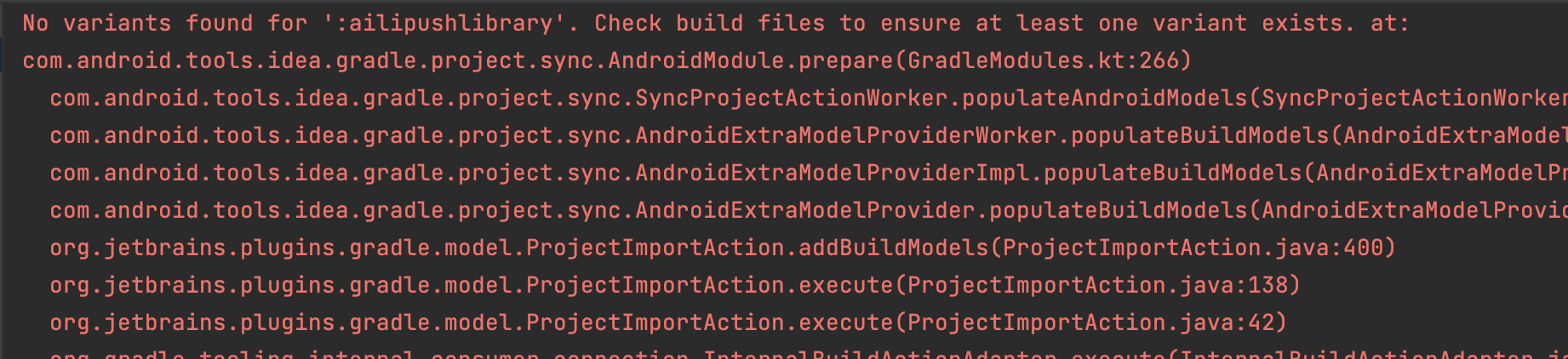
错误2
allprojects中的maven有些url使用http导致加载失败的问题,
maven {
            // 忽略https检查
            allowInsecureProtocol = true
            url 'http://maven.aliyun.com/nexus/content/repositories/releases/'

        }
错误3
Installed Build Tools revision 31.0.0 is corrupted. Remove and install again
将所有的buildToolsVersion 修改为31.0.0
buildscript {

    ext.app_minSdk = 19
    ext.app_targetSdk = 31
    ext.app_compileSdk = 31
    ext.app_buildToolsVersion = "31.0.0"

    ...
    }
模块APP
android{

	 compileSdkVersion app_compileSdk
	buildToolsVersion app_buildToolsVersion
	...

}
评论区